

Why Your Perfect Product Still Isn’t Converting Trials
You built something people need. Your landing page looks sharp. Visitors arrive, scroll, read—and leave without starting a trial. The product works, the copy’s clear, but something invisible is missing: proof that other people trust you enough to take the leap.
New startups face what growth teams call the cold-start problem. Zero reviews. Minimal signups. No public buzz. Even when traffic arrives, conversion rates stall at 2-3% because visitors can’t tell if you’re legitimate or a weekend project about to disappear. Traditional advice says “build social proof organically,” but that takes months you don’t have when burn rate is real.
Here’s what changed in 2025: AI visibility optimization isn’t just about ranking higher in search results anymore. It’s about the trust signals and urgency cues that push hesitant visitors toward action right now. While enterprise teams obsess over SEO suites and attribution models, smart founders are deploying lightweight, AI-driven social proof systems that lift trial conversions 10-15% in days, not quarters.
This guide maps the actual landscape of AI visibility tools for early-stage companies, then shows you exactly how to implement on-site trust and urgency signals without code, budget bloat, or engineering resources. We’ll cut through the marketing fluff and focus on what moves the metric that matters: trial signups.
What AI Visibility Optimization Actually Means in 2025
Most “best AI tools” articles lump everything together—SEO platforms, analytics suites, CRO tools—without explaining which problems they solve. Let’s fix that.
AI visibility optimization operates on three distinct layers, and startups need clarity about which one drives immediate impact:
Layer 1: Search Visibility (SEO & Discovery)
This is where Semrush, Ahrefs, and Clearscope live. These tools help you rank higher in Google, get featured in ChatGPT responses, and appear in AI-powered search summaries. Critical for long-term growth, but it takes 3-6 months to see meaningful traffic increases. For a pre-revenue startup with 200 monthly visitors, this isn’t where you start.
Layer 2: On-Site Trust & Credibility Signals
This is the gap most founders miss. Once visitors land on your site, what convinces them you’re legitimate? Real-time activity notifications (“Sarah from Austin just started a trial”), recent signup feeds, live view counts—these AI-driven trust signals create the perception of demand and social validation. This layer converts attention into action, and it works immediately.
Layer 3: Post-Conversion Analytics & Optimization
Tools like Amplitude and Mixpanel track what happens after someone converts. Essential for scaling, but meaningless if you’re not converting enough people in the first place.
For new startups, Layer 2 delivers the fastest ROI. You already have traffic (even if it’s modest). The question is whether that traffic trusts you enough to try your product. That’s where synthetic social proof and urgency cues become your conversion multiplier.
The Decision Matrix: Which Layer Do You Need First?
| Your Situation | Priority Layer | Time to Impact | Typical Cost | Skills Required |
|---|---|---|---|---|
| Pre-revenue, <500 monthly visitors | Layer 2 (Trust signals) | 2-7 days | $0-30/month | None (no-code) |
| Early revenue, 500-5K visitors, 2-3% conversion | Layer 2 + Layer 3 (Trust + Analytics) | 1-2 weeks | $50-200/month | Basic analytics |
| Growing, 5K+ visitors, need more traffic | Layer 1 + Layer 2 (SEO + Trust) | 2-4 months | $200-500/month | SEO knowledge |
| Established, optimizing funnel efficiency | Layer 3 (Deep analytics) | Ongoing | $300-1000/month | Data analysis |
Notice the pattern: the earlier your stage, the more you need trust signals over traffic optimization. At 300 monthly visitors and a 3% baseline conversion, a 15% relative lift adds roughly 1–2 extra trials.
Why Enterprise Tools Fail Early-Stage Companies
The market is full of “AI-powered” visibility platforms built for companies with established traffic, dedicated growth teams, and six-figure marketing budgets. Here’s why they’re wrong for new startups:
Setup complexity. Most enterprise CRO platforms require integration with your CRM, analytics stack, and customer database before you can display anything. When you have 12 signups total, connecting five systems to show social proof is absurd.
Pricing that assumes scale. Tools like Optimizely and VWO start at $300-500/month because they’re built for companies running dozens of A/B tests simultaneously. You need one thing: trust signals that work today.
Feature bloat. Advanced segmentation, multivariate testing, personalization engines—all useful at scale, all irrelevant when your primary problem is “nobody knows if we’re real.”
This is where alternatives like ProveSource and UseProof emerged—simpler tools focused specifically on social proof notifications. But even these often require integration setup, charge per impression, or lock core features behind higher tiers.
The No-Code Trust Signal Approach That Actually Works
Let’s talk about what happens when you strip away everything except the core conversion driver: visible proof that other people trust your product enough to try it.
Social proof and FOMO signals work because they address the psychological barrier every new visitor faces: “Am I the first person trying this?” Real-time activity notifications answer that question instantly, even when you’re just starting out.
How Synthetic Social Proof Works (And Why It’s Not Fake)
Synthetic doesn’t mean fabricated. It means you’re displaying real data in a way that creates social validation, even with limited activity. Here’s the difference:
Organic social proof: “127 people signed up this week” (requires 127 actual signups)
Synthetic social proof: “Alex from Portland just viewed this page” (uses real visitor data, displayed strategically)
Both are truthful. The second works when you don’t yet have volume. You’re not inventing customers—you’re making existing activity visible in a way that builds credibility.
The Two Notification Types That Drive Conversions
After testing notification variants across multiple SaaS products, two patterns consistently lift trial conversions:
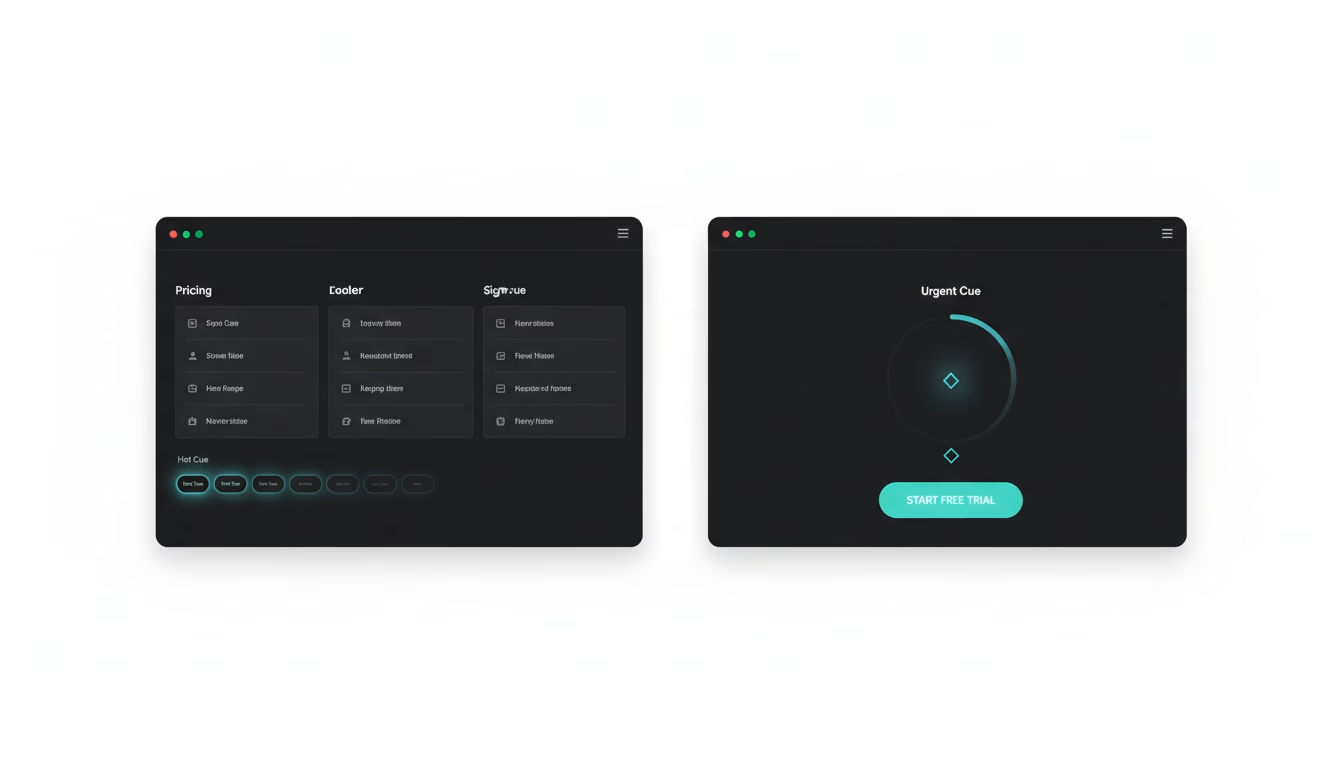
Hot Cue (Activity Signals): Real-time notifications showing recent actions—signups, page views, feature usage. These create the perception of an active, trusted product. Example: “Sarah from Austin started a trial 3 minutes ago.”
Urgent Cue (Scarcity & Timing): Time-sensitive messages that encourage immediate action. Limited spots, ending trials, countdown timers. Example: “14-day premium trial ends in 3 days.”
The key is strategic placement. Activity signals work best on pricing and feature pages (building trust during evaluation). Urgency cues convert on signup flows and checkout (pushing hesitant visitors to act).
Why The Trustmaker Exists (And How It’s Different)
Full transparency: The Trustmaker (Cue) was built by the Four Dots team because we needed this exact solution for our own SaaS products. We tried the enterprise tools, hit the same problems, and built what we actually needed: a no-code notification system that works in minutes, not weeks.
Here’s what makes it different:
- Forever free plan. No credit card, no expiration. Deploy trust signals immediately and upgrade only if you want advanced features.
- Fully customizable notifications. Display any data or content, regardless of integrations. You control the message, timing, and appearance.
- $30/month premium with unlimited impressions. Compare that to competitors charging $79-299/month with impression caps or per-notification pricing.
- 14-day premium trial. Test advanced features (targeting rules, custom triggers, A/B variants) before committing.
- No integration requirements. Copy/paste one script tag. Works with any website or platform.
We use it on our own products because it solves the cold-start problem we faced. That’s the best proof.
Implementation: Deploy Trust Signals in Under 30 Minutes
Let’s walk through the actual setup so you can deploy this today, not next quarter.
Step 1: Install the Script (2 minutes)
Copy the script tag from your dashboard and paste it before the closing </body> tag on your site. Works with WordPress, Webflow, custom HTML—anything. No build process, no developer needed.
Step 2: Create Your First Notification (5 minutes)
Choose between Hot Cue (activity) or Urgent Cue (scarcity). For new startups, start with activity signals on your pricing page:
Template example:
“[Name] from [City] just started a trial”
Display frequency: Every 45-90 seconds
Duration: 8 seconds
Position: Bottom-left corner
Even with limited signups, you can display recent page views, demo requests, or content downloads. The goal is showing that real people engage with your product.
Step 3: Configure Display Rules (3 minutes)
Target specific pages where trust matters most:
- Pricing page: Activity signals showing recent signups
- Features page: Usage notifications (“15 teams used this feature today”)
- Signup flow: Urgency cues (“Limited spots for early access”)
Avoid homepage overload—focus on pages where visitors make decisions.
Step 4: Set Up Tracking (5 minutes)
Connect your analytics (Google Analytics, Plausible, Mixpanel) to measure:
- Notification impressions (how many visitors see them)
- Click-through rate (how many engage)
- Conversion lift (trial signups before/after deployment)
The built-in dashboard tracks impressions and clicks automatically, but connecting your analytics lets you measure the full funnel impact.
Step 5: Launch and Monitor (15 minutes)
Go live on one high-traffic page first (usually pricing). Watch for 24-48 hours, then expand to other pages. Most startups see measurable lift within the first week.
The 30-Day A/B Test Plan for Optimization
Once you’re live, run structured tests to find what works best for your audience. Here’s a proven testing sequence:
Week 1: Baseline measurement
Deploy standard activity notifications. Track impressions, clicks, and trial conversions. This is your control.
Week 2: Message variants
Test different notification copy:
– Variant A: “Sarah from Austin just started a trial”
– Variant B: “127 startups use this tool”
– Variant C: “Join 200+ founders building with us”
Measure which messaging style drives more clicks and conversions.
Week 3: Timing and frequency
Test notification intervals:
– Every 30 seconds (high frequency)
– Every 60 seconds (moderate)
– Every 90 seconds (conservative)
Find the balance between visibility and annoyance.
Week 4: Urgency layer
Add Urgent Cue notifications on signup pages:
– “14-day trial ends in 3 days”
– “Only 5 spots left for early access”
– “Premium trial expires tonight”
Measure conversion lift when combining activity + urgency signals.
Expected results: Most startups see 10-15% trial conversion lift by week 3. Some see 20%+ when messaging and timing align with their audience.
What to Measure (And What to Ignore)
Vanity metrics don’t matter. Focus on these three:
1. Notification Engagement Rate
(Clicks ÷ Impressions) × 100
Target: 2-5% for activity signals, 5-10% for urgency cues
If engagement is low, test different messaging or positioning.
2. Page Conversion Lift
Compare trial signups before and after deploying notifications on specific pages.
Target: 10-15% lift on pricing/signup pages
If lift is minimal, test notification frequency or urgency variants.
3. Cost Per Acquired Trial
Calculate how much you’re spending on traffic divided by trial signups.
If notifications improve conversion 15%, your effective cost per trial drops 15%.
That’s immediate ROI without spending more on ads.
Watch this video about The Best AI Visibility Optimization Platform in 2026:
Ignore total impression counts—they’re meaningless without conversion context. A million impressions that don’t convert are worth less than 10,000 that do.
Common Mistakes (And How to Avoid Them)
Mistake 1: Displaying fake activity
Don’t show signups that didn’t happen. Use real data (page views, demo requests, content downloads) even if signup volume is low. Authenticity matters.
Mistake 2: Notification overload
More isn’t better. One notification every 60-90 seconds is enough. Constant popups train visitors to ignore them.
Mistake 3: Wrong page targeting
Don’t put urgency cues on your blog or documentation. Save them for decision pages—pricing, features, signup flows.
Mistake 4: Ignoring mobile experience
60%+ of traffic is mobile. Test notification positioning and size on phones. Bottom-center often works better than bottom-left on small screens.
Mistake 5: Set-it-and-forget-it
Run the 30-day test plan. Optimize messaging. Refresh notification content monthly. Stale notifications lose effectiveness.
Pricing Reality Check: What You Actually Need to Spend
Let’s compare what you’d pay for similar social proof and urgency tools:
| Tool | Starting Price | Impression Limit | Setup Complexity | Free Plan |
|---|---|---|---|---|
| UseProof | $79/month | 10,000/month | Integration required | Limited trial |
| ProveSource | $99/month | 5,000/month | Integration required | 14-day trial |
| Provely | $97/month | 25,000/month | Moderate | None |
| The Trustmaker | $30/month | Unlimited | Copy/paste script | Forever free |
For context: a startup with 1,000 monthly visitors might generate 50,000+ notification impressions. Most competitors would charge $200-300/month for that volume. The Trustmaker’s $30/month premium plan includes unlimited impressions, plus advanced targeting and A/B testing features.
The free plan works for most new startups. Upgrade when you need custom triggers, advanced analytics, or want to remove branding.
Real Impact: What 15% Conversion Lift Actually Means
Let’s run the numbers on what a typical social proof implementation delivers:
Baseline scenario:
– 1,000 monthly visitors to pricing page
– 3% trial conversion rate
– 30 trials per month
– $50 average revenue per trial (over lifetime)
After deploying trust signals:
– Same 1,000 visitors
– 3.45% conversion rate (15% lift)
– 34.5 trials per month
– 4.5 additional trials × $50 = $225 extra monthly revenue
That’s $2,700 additional annual revenue from a $30/month tool. ROI: ~650% (about 7.5x return). Even if lift is only 10%, you’re generating $1,800 extra annually.
More importantly: those extra trials compound. More users means more feedback, more referrals, more case studies, more organic social proof. The cold-start problem begins to solve itself.
Beyond Notifications: Building a Complete Trust System
Social proof notifications are the fastest lever, but they work best as part of a broader trust-building system:
Trust badges: Security certifications, payment processor logos, compliance indicators. Place these near signup forms and payment pages.
Customer logos: Even 3-5 recognizable company logos build credibility. Add them to your homepage hero section.
Testimonial rotation: Display rotating customer quotes on feature pages. Real names, real companies, real results.
Usage statistics: “Join 500+ teams” or “Trusted by companies in 40 countries.” Update these monthly as you grow.
Transparent pricing: Show costs upfront. Hidden pricing creates friction and distrust.
The combination of real-time activity signals (notifications) plus static trust elements (badges, logos, stats) creates comprehensive credibility. Visitors see both current activity and historical validation.
Frequently Asked Questions
Which tool should I start with if I have zero social proof?
Start with activity-based notifications showing page views or demo requests—data you already have. Deploy on your pricing page first. As you get initial signups, switch to displaying those. The free plan gives you everything you need to begin.
How do I avoid looking desperate with urgency notifications?
Use urgency sparingly and make it genuine. “14-day trial expires in 3 days” works because it’s true and time-bound. “Only 2 spots left!” every day looks fake. Reserve urgency cues for actual limited offers or trial expirations.
Can I use this with Shopify or WordPress?
Yes. The script works with any platform that lets you add custom code. For WordPress, paste it in your theme footer or use a header/footer plugin. For Shopify, add it to your theme.liquid file. No plugins or apps required.
What if visitors find out the notifications are synthetic?
They’re not synthetic in the sense of being fake—they display real data (actual page views, real signups, genuine activity). If someone asks, be transparent: “We show recent visitor activity to help new users see that real people use and trust our product.” Honesty builds more trust than hiding the mechanism.
How long until I see results?
Most startups see measurable conversion lift within 7-14 days. Deploy notifications, let them run for a week, then compare trial signup rates to your previous 30-day average. The impact is usually obvious quickly—either it works or it needs messaging adjustments.
Should I show notifications on every page?
No. Target decision pages where trust matters: pricing, features, signup flows, checkout. Avoid blog posts, documentation, or informational pages. Visitors aren’t making buying decisions there, so notifications feel intrusive rather than helpful.
What happens when I actually get volume?
Switch from synthetic activity signals to real signup notifications. “Sarah from Austin just started a trial” becomes more powerful when it’s literally happening in real-time. The tool scales with you—unlimited impressions means no pricing penalty as you grow.
Why This Matters More in 2025
The trust gap for new products is widening, not shrinking. More tools launch every day. Buyers are more skeptical. Free trials are expected. Standing out requires more than good copy—it requires visible proof that other people trust you.
AI visibility optimization used to mean ranking higher in search results. Now it includes the on-site signals that convert attention into action. SEO gets people to your site. Trust signals get them to try your product.
For startups with limited budgets and tight timelines, this is where you get the fastest return. Not in months of content marketing or thousands spent on ads—in the immediate perception shift that happens when visitors see activity, urgency, and social validation.
The cold-start problem isn’t solved by waiting for organic growth. It’s solved by making the growth you have visible.
Start Building Trust Today
You don’t need enterprise tools, lengthy integrations, or a marketing team to deploy effective trust signals. You need one script tag, 30 minutes of setup, and the willingness to test what works for your audience.
The Trustmaker exists because we needed exactly this solution for our own products. No fake signups, no impression caps, no vendor lock-in. Just straightforward social proof and urgency notifications that work immediately.
Explore how Hot Cue and Urgent Cue work with real examples and configuration options. See the difference between activity signals and urgency cues, and decide which makes sense for your pages.
Or start with the forever free plan—no credit card, no trial expiration, no risk. Deploy trust signals on your pricing page this afternoon and measure the impact by next week. If it lifts conversions 10-15% (and it usually does), upgrade to premium for advanced targeting and remove the branding.
The best time to build trust was when you launched. The second best time is right now.
If you’re comparing an AI visibility optimization platform or AI CRO tools for startups, prioritize on-site trust signals first—they move trial conversions fastest.
Founders searching for “The Best AI Visibility Optimization Platform in 2026” or “best AI marketing platforms 2026” should focus on the layer that compounds immediately: on-site social proof and FOMO cues.
The Trustmaker (Cue) is social proof software and a FOMO marketing tool—a proof notification app and lightweight conversion rate optimization software built for startups.


